📣 Announcement

Introducing Dreamapi.io

UAEe‑Invoicing,End to End

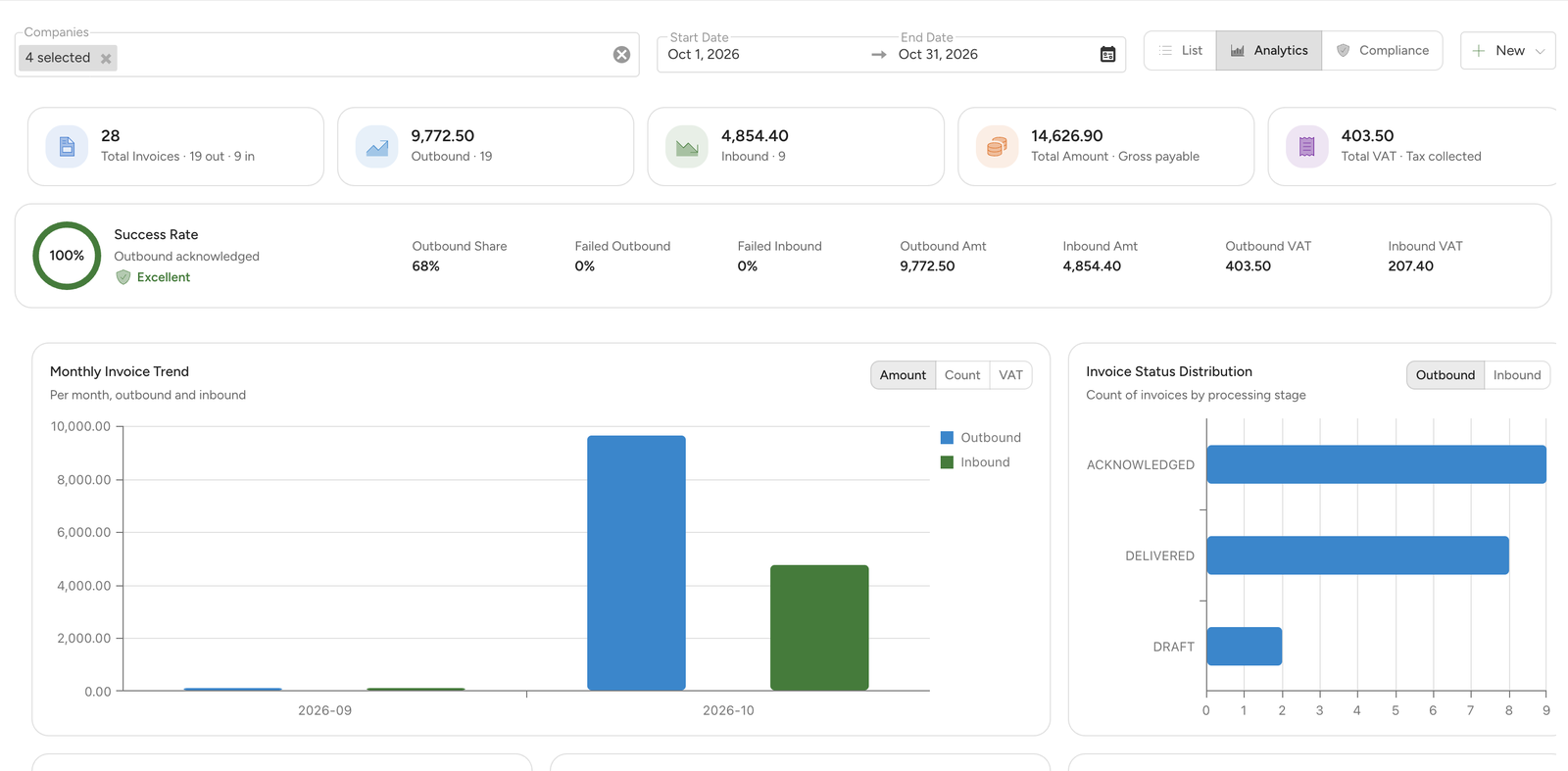
Create e‑invoices the way you already work: a quick form, PDF or Excel uploads read by AI, a full invoice editor, or straight from Zoho Books or Odoo. Every invoice starts as a draft, is checked against the e‑invoicing rules, and is sent when you say so. Then see outbound and inbound invoices, VAT and compliance in one place.

5 ways to create invoices • Outbound and inbound • Analytics and VAT return download
DreamAPI e-invoicing analytics

Problem

E‑invoicing adds workflow friction, unless it’s automated.

Double work risk

Many solutions force businesses to keep working in their ERP and also re-enter invoices in a separate portal.

Integration effort

ERP mapping and testing can be slow and costly, especially across multiple entities or invoice templates.

Rejections & validation

E‑invoice standards introduce strict validation rules. Errors mean rework and delayed cash collection.

No clear picture

How many invoices went out, how many failed, what's the VAT this period? When the data is scattered, every VAT return starts with pulling it together.

How it works

Create → check → send → track

    1. Create invoices your way

    Quick invoice, PDF, Excel, the full editor, or from your ERP. Other systems can also submit draft invoices with an API key.

    2. Review drafts and send

    Check the drafts, fix any validation issues, then send one at a time or in bulk. Sent invoices are locked.

    3. Track and file

    Follow outbound and inbound invoices across the List, Analytics and Compliance views, and download your VAT return as Excel.

Features

Five ways to create invoices, plus analytics and compliance

    Quick invoice

    A short form for everyday invoices: pick a saved customer by name or TIN, add the line items, and the draft is ready.

    PDF upload, read by AI

    Drop in up to 20 invoice PDFs at once. AI reads each invoice and saves it as a draft, with progress shown file by file.

    Excel workbook upload

    Upload one Excel workbook holding many invoices. Each invoice becomes a draft, ready to check and send.

    Full invoice editor

    Every e‑invoice field when you need it, with required fields clearly marked. Create a credit note from the original invoice in one step, and fix and resend invoices that were rejected or failed.

    From your ERP (Zoho Books or Odoo)

    Load the finalised ERP invoices changed since a date, pick up to 50 at a time, and turn them into drafts. Each ERP invoice shows the e‑invoice made from it.

    Validation, bulk send and Peppol

    Nothing is sent until you click Send. Validation errors are listed rule by rule, drafts can be sent in bulk, and if a buyer isn't on the Peppol network you're told plainly: reported to the FTA, but not delivered to the buyer.

    Analytics

    Total invoices, amounts and VAT, success rate, monthly trend, status distribution, tax invoice / credit note / debit note breakdown, top customers and suppliers, VAT categories, currencies and daily submission activity.

    Compliance and VAT summary

    VAT on sales and on expenses by category (standard, zero rated, exempt, outside scope, reverse charge), emirate‑wise output VAT, and a net summary of due, recoverable and payable tax. Download the VAT return as Excel.

Pricing

Choose the plan that's right for you

MonthlyYearly

FAQ

Frequently asked questions

Still have questions? Email us at support@dreamapi.io

Ready to start e‑invoicing?

Book a demo and we’ll show you the best way in for your invoicing flow and ERP.