

Accounting and operations
Get paid by card, straight from the invoice
Connect your own Stripe account and every posted invoice gets a payment link, in the invoice email, on the PDF or copied to send anywhere. When the customer pays, Dreambooks posts the receipt and books Stripe's fee for you.
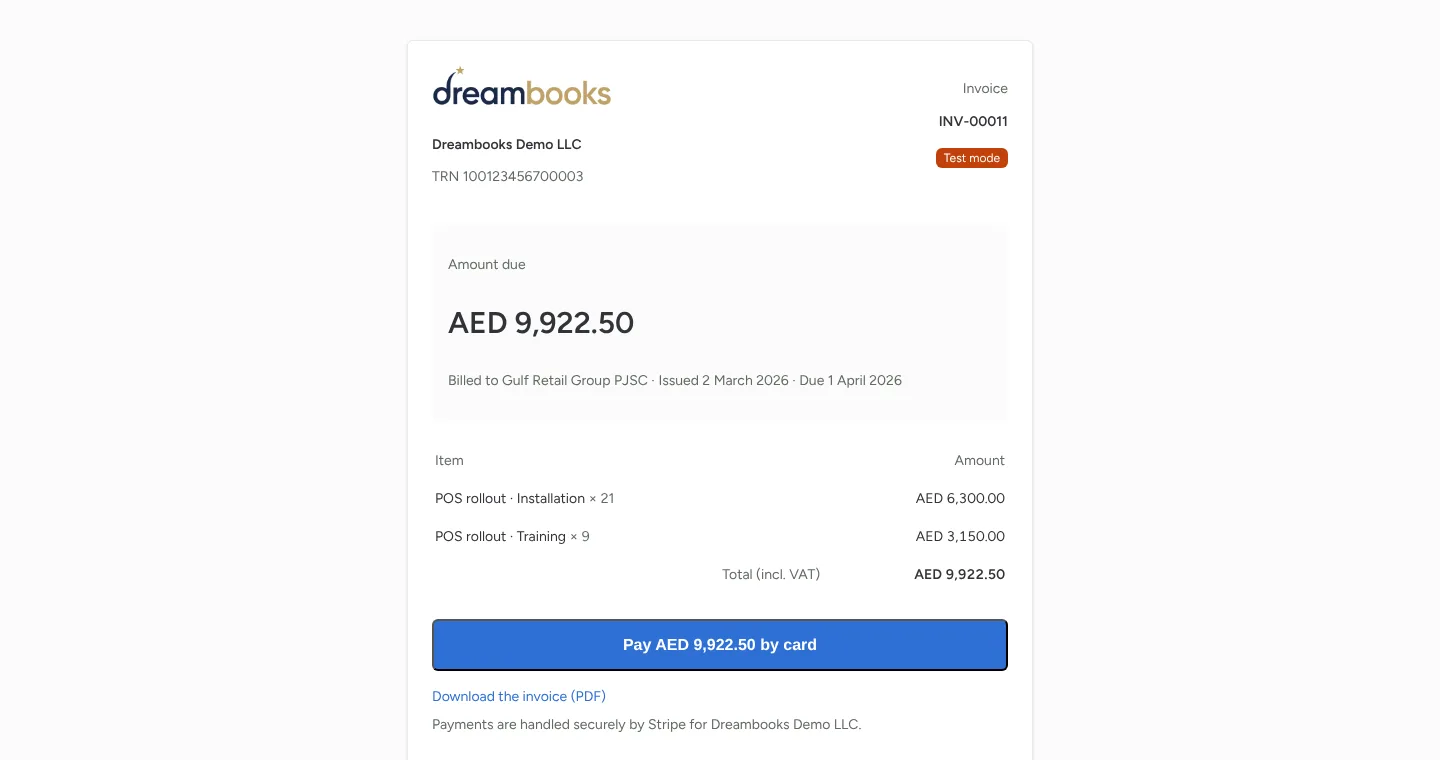
A pay link on every invoice
Customers open the invoice on a secure page and pay the balance due by card through Stripe Checkout.
Receipts post themselves
When Stripe confirms the payment, the receipt is posted against the invoice and the fee is booked to bank fees. No re-keying.
Payouts that reconcile
Stripe's payouts to your bank match in bank reconciliation as a transfer, like any other.
Your money, your Stripe account
Payments go to your own Stripe account and never pass through Dreambooks.
Reminders with the link
Optionally, overdue invoices get a reminder email with the pay link every few days.
Features
Everything your finance work needs, connected
From daily bookkeeping to tax filing, and from winning a client to getting their signature, every module shares one ledger. No more copying between apps.
Accounting and operations
Double-entry books, stock, salaries and every currency, on one ledger.
UAE tax and compliance
E-invoicing, VAT, corporate tax and excise prepared from the books, plus IFRS 18 reporting.
For accounting firms
Win clients, run engagements, collect documents and never miss a deadline.
Documents and messaging
AI that reads your documents, a WhatsApp inbox and e-signatures.
Control, AI and switching
Approvals, roles and audit trail, your books inside Claude and ChatGPT, and imports from your old system.